As an Amazon Associate this site earns from qualifying purchases.
Quick Picks
| Product | What it actually is | Best suited to | Link |
|---|---|---|---|
| Labeer Bluetooth Thermal Shipping Label Printer | Wireless 4x6 printer, white | Sellers who want a cable-free desk | Check Price on Amazon |
| HKHKPI Bluetooth Thermal Label Printer | Bluetooth 4x6 shipping label printer | Sellers printing from a phone or tablet | Check Price on Amazon |
| MFLABEL 4x6 Thermal Shipping Labels - 2 Rolls of 250 | Direct thermal label rolls | Roll-fed printers and lower-volume sellers | Check Price on Amazon |
| MUNBYN 4x6 Thermal Printer Labels | Stacked 4x6 direct thermal label sheets | Fanfold setups and steady daily volume | Check Price on Amazon |
| Marbrasse Label Holder for Rolls and Fanfold Labels | Metal holder with drawer | Desks that switch between roll and fanfold | Check Price on Amazon |
| Jiose 4x6 Label Holder - Work with Desktop Thermal Printer (Pink) | Simple 4x6 label holder | A single dedicated label format | Check Price on Amazon |
Disclosure: We earn a small commission from qualifying Amazon purchases at no extra cost to you.
As an Amazon Associate we earn from qualifying purchases. This page contains affiliate links, and we may receive a commission if you buy through them — at no extra cost to you.
As an Amazon Associate, we earn from qualifying purchases.
Last Updated: September 2026
This thermal shipping label printer guide exists because the printer is usually the least interesting part of the decision. You buy the machine once. You buy labels forever. And the single most common way sellers waste money is by choosing a printer first and then discovering that the label format they can actually get cheaply does not feed well into it.
Here is what this page will teach you: how direct thermal differs from thermal transfer and why almost every shipping seller wants the former, how roll and fanfold stock change your desk setup, which listing specifications actually predict whether a printer will work with your platform, and where sellers most often overspend.
One thing to be upfront about before anything else. This website does not do product research. Nobody here has printed a label on any machine named below. What follows is a close reading of published Amazon listing data, retrieved 2026-09-05, plus category reasoning built on top of it. Where a listing is silent, this guide says so rather than filling the gap.
And the listings here are unusually silent. Of the six products covered, two are printers and four are supplies or accessories. That shapes the recommendations, and you should know it going in.
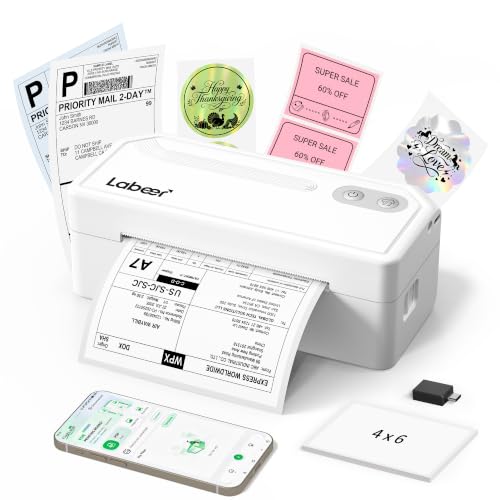
- 【Smart PDF Printing】For Amazon, Etsy, Shopify and eBay sellers who print orders while packing, download the shipping label as a PDF and print it directly from an iPhone or Android
- 【4x6 Shipping Label Printing】For delivery workers, shipping staff and online sellers who prepare packages throughout the day, this 4x6 label printer handles standard US 4x6
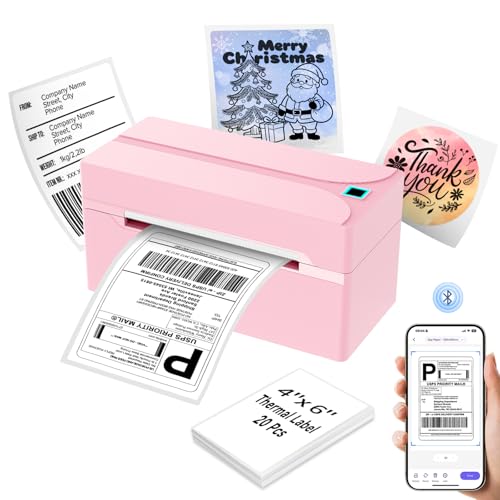
- Wireless Bluetooth Connectivity: N40 thermal label printer features automatic calibration, smart paper ejection to prevent jams and waste. It connects seamlessly with iOS, Android
- USB Cable Connectivity: This shipping label printer ensures seamless USB connectivity with Windows (7 and above), macOS, Linux. Simply connect the desktop label printer using a
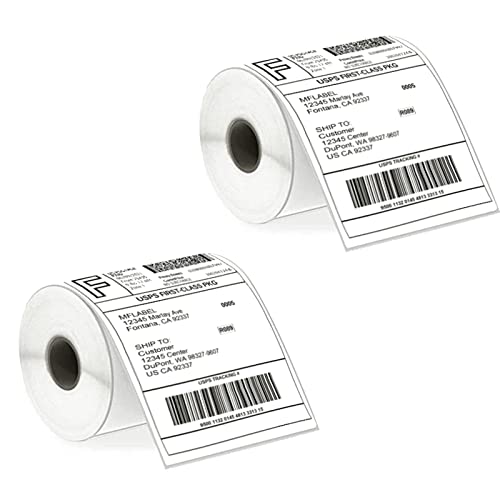
- Good 4x6 Size:Get the industry-standard size for all your shipping needs! Each 4x6 inch (101.6 x 152.4 mm) label features clean perforations for a smooth, effortless
- Crystal-Clear Printing & Universal Compatibility:Achieve sharp, scannable barcodes and ultra-legible addresses every time! Designed exclusively for direct thermal printers, these
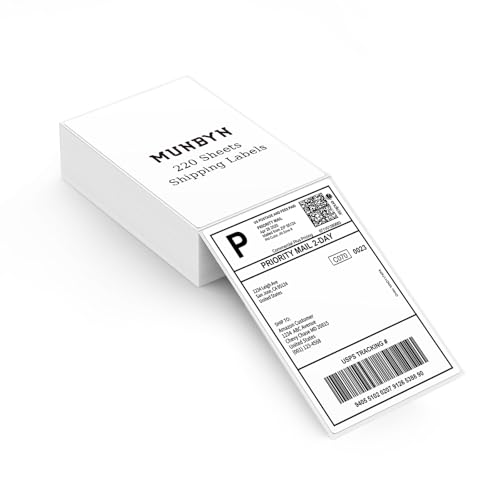
- Munbyn Generic Shipping Series Labels (GR): 4x6 inch (101.6mm x 152.4mm), thermal labels include 220 labels in a secure kraft carton. Compatible with FedEx, UPS, USPS, Shopify
- Wide Compatibility: Compatible with Munbyn RW402B, 130B, 941BP, 129B, 941U, 941AP, RW401AP, RW403B, Jadens, Rollo, Idprt, Beeprt, Asprink, Nelko, Phomemo, Polono, Labelrange
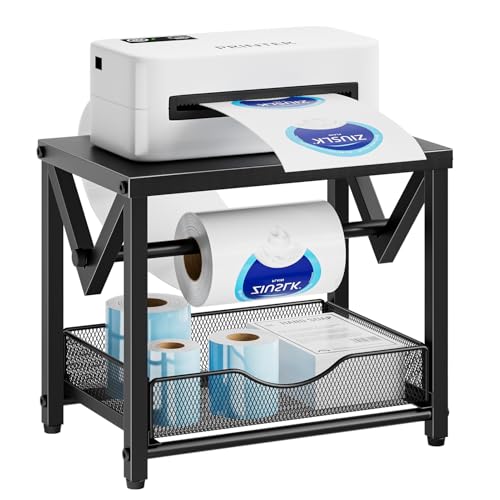
- Installation Tip: Slightly tighten screws first, fully tighten after leveling the shelf
- Easy to Install:Setting up this shipping label stand is a breeze. It comes with clear installation instructions and all the necessary components, allowing you to complete the
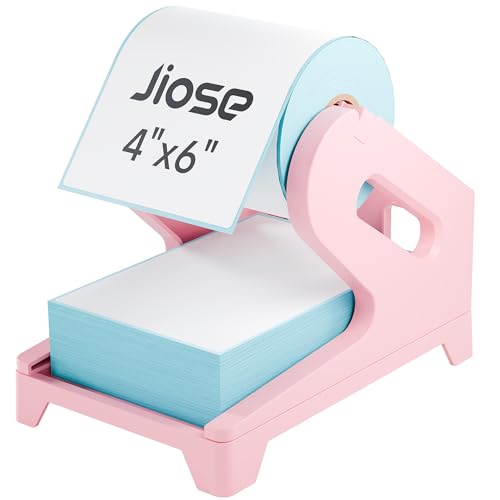
- 【Compatible with Thermal Printer】: The holder works perfectly with desktop thermal shipping label printers. No more worry that the label paper will be misplaced or run off
- 【Suit for Fan-fold & Roll Label】: The label stand can be used both with roll labels and fan-fold labels, making it more convenient for you to print your product labels or shipping
What Is a Thermal Shipping Label Printer?
A thermal shipping label printer is a desktop printer that forms an image using heat rather than ink or toner. For shipping work it prints one standard size: the 4x6 inch label that carriers and marketplaces expect. No cartridges, no toner drums, no print heads clogging because you did not ship anything for three weeks.
That last point is the real argument for the category. An inkjet left idle for a month is a maintenance problem. A thermal printer left idle for a month is a printer that still works.
Types of Thermal Label Printers Explained
There are two printing technologies and, separately, two ways labels are packaged. Sellers confuse these constantly, so treat them as independent choices.
Direct Thermal vs Thermal Transfer Printing
| Type | How the image forms | Consumables needed | Practical trade-off |
|---|---|---|---|
| Direct thermal | Heat darkens a coated, heat-sensitive label | Labels only | Simplest and cheapest to run; the image is sensitive to heat, light and abrasion over time |
| Thermal transfer | Heat melts pigment from a ribbon onto the label | Labels plus ribbon | Longer-lasting marks; adds a second consumable and more setup |
For parcels that will be scanned within days, direct thermal is the obvious fit, and it is what the shipping label market is built around. MFLABEL explicitly describes its 4x6 stock as direct thermal labels, which tells you which side of this divide the mainstream shipping ecosystem sits on [S4]. If you need labels that survive a warehouse rack for two years, that is a thermal transfer conversation, and it is worth reading our direct thermal vs thermal transfer printing explainer before spending anything.
Fanfold vs Roll Shipping Labels
| Format | How it feeds | Desk impact | Notes |
|---|---|---|---|
| Roll | Unspools from a spindle or external holder | Needs a holder or an internal spindle | Compact; a roll that runs out mid-batch is a quick swap |
| Fanfold | Pulls from a folded stack behind the printer | Needs flat space or a stand with a tray | Stacks sit still; no spool tension to manage |
The two supply products in this guide land on opposite sides of that line. MFLABEL supplies its labels as rolls, while MUNBYN lists 220 sheets per stack, which points to a fanfold stack rather than a spool [S7]. Neither format is better in the abstract. What matters is that your printer, your holder and your label pack agree with each other. Our fanfold vs roll shipping labels breakdown goes deeper on feed reliability.
Wired vs Wireless
Both printers covered here are Bluetooth models rather than USB-only units. That matters more than it sounds. Bluetooth means you can print from a phone, which is genuinely useful if you buy postage in a marketplace app. It also means your printing depends on a pairing that has to hold, and on app support the listing may not describe.
Key Features to Look For, Ranked by Importance
- Confirmed 4x6 support. This is non-negotiable for shipping. Both the Labeer and HKHKPI listings state 4x6 in the product name itself [S6][S8]. If a listing hedges on label width, walk away.
- Your platform's driver or app path. A printer that cannot receive a label from your postage provider is furniture. Bluetooth-first models like these two make the mobile path plausible but the desktop path unstated, so verify before purchase.
- Published print resolution and speed. Here is where these two listings disappoint. Amazon's listing publishes no print resolution, print speed, or duty cycle for the Labeer Bluetooth Thermal Shipping Label Printer [S6], and the same gaps appear on the HKHKPI listing [S8]. Absence of a number is not a bad number, but it is a reason to ask questions.
- Media handling flexibility. A printer that accepts both roll and fanfold stock keeps your consumable options open, which is where a holder like the Marbrasse earns its place.
- Label supply availability in your size. Compatibility claims on label packs are your cheapest signal. MFLABEL states its labels are compatible with Rollo and Zebra printers and intended for Amazon, UPS, FedEx and Shopify labels [S4]. Broad stated compatibility means you will not be hunting for stock in eighteen months.
- Warranty and support terms. Neither printer listing states a warranty length [S6][S8]. For a device with a consumable print head, that is a real unknown.
Common Mistakes to Avoid
- Buying the printer before checking label economics. Work out your labels-per-month first. The MFLABEL pack ships as 2 rolls of 250, which is 500 labels per pack [S4]; MUNBYN's is listed at 220 sheets per stack [S7]. Those are different replenishment rhythms.
- Assuming a brand name on a label pack means printer endorsement. MFLABEL's compatibility statement names Rollo and Zebra [S4]. That is the label maker's claim about fit, not a certification from those printer brands.
- Ignoring where the labels physically sit. People buy a printer, then discover the roll rolls off the desk. A holder is not an accessory purchase you make later; it is part of the setup.
- Treating a sparse listing as a cheap bargain. Sparse listings are common on newer brands. Honestly, the correct response is not to avoid them reflexively but to lower your confidence and check seller return terms.
- Buying thermal transfer supplies for a direct thermal printer. Ribbon in a direct thermal machine accomplishes nothing.
- Skipping a recall check. The CPSC publishes recall notices for consumer products, and a quick search costs nothing before you buy any small electrical device [S1].
Budget Considerations
This site does not publish dollar figures for these listings, because Amazon pricing moves and a stale number is worse than no number. Check the current price on Amazon for anything below. What follows is about how to allocate, not what to pay.
Good: One 4x6 Bluetooth printer plus one label pack. That is a complete working setup. Either the Labeer or the HKHKPI unit plus the MFLABEL 500-label pack covers a side-hustle seller's first few months.
Better: Add a holder. The Jiose 4x6 Label Holder - Work with Desktop Thermal Printer (Pink) is listed as working with a desktop thermal printer [S3], and it is the low-commitment version of solving your feed problem.
Best: Add format flexibility. A metal holder that takes both rolls and fanfold, plus a stack pack like the MUNBYN, means you buy whichever label format is cheapest that month instead of whichever format your desk was built around.
Our Top Recommendations
A note on how this section is organized. Only two of these six products are printers. The rest are labels and holders, and this guide labels them as such rather than padding a printer list with supplies.
Labeer Bluetooth Thermal Shipping Label Printer — Best for a cable-free desk
Amazon's listing for the Labeer Bluetooth Thermal Shipping Label Printer identifies it as a wireless 4x6 printer in white [S6]. That is close to the whole published story, and it is worth being blunt about that.
What the name does tell you is meaningful, though. A wireless 4x6 unit is aimed at the seller who prints postage from a phone and does not want a USB cable running across a kitchen table. The white finish suggests a home-office product rather than a back-room workhorse.
Pros
- Explicit 4x6 support in the product name, which is the size shipping actually needs [S6]
- Wireless operation suits phone-based postage workflows
- White housing fits a visible home desk rather than a warehouse shelf [S6]
- The listing does not publish a print resolution, a print speed, a duty cycle, or a warranty length for the Labeer Bluetooth Thermal Shipping Label Printer [S6], so throughput at volume is genuinely unknown
- No stated desktop operating system support, which matters if you print from a computer
- Labeer is not an established name in this category, and the listing gives you little to offset that
HKHKPI Bluetooth Thermal Label Printer — Best for phone-based postage printing
Amazon's listing for the HKHKPI Bluetooth Thermal Label Printer identifies it as a Bluetooth 4x6 shipping label printer [S8]. On paper, it occupies almost exactly the same position as the Labeer.
That similarity is the honest finding here. Two Bluetooth 4x6 units, both with thin published specifications, and no basis in the available data for declaring one better. Anyone who tells you otherwise from these listings is guessing.
Pros
- Bluetooth plus 4x6 is the right combination for mobile marketplace apps [S8]
- Positioned explicitly as a shipping label printer rather than a general-purpose label maker [S8]
- As with the Labeer unit, the listing publishes no resolution, print speed, or supported operating systems for the HKHKPI Bluetooth Thermal Label Printer [S8]
- No published warranty term
- No stated colour, footprint or media path, so you cannot plan your desk around it in advance
MFLABEL 4x6 Thermal Shipping Labels - 2 Rolls of 250 — Best for roll-fed printers
This is the most thoroughly described product in the entire group, which is telling. The MFLABEL 4x6 Thermal Shipping Labels ship as 2 rolls of 250, which works out to 500 labels per pack [S4].
MFLABEL describes the labels as perforated, smudge-proof direct thermal labels compatible with Rollo and Zebra printers and suitable for Amazon, UPS, FedEx and Shopify labels [S4]. Perforation is the underrated feature there: it is what lets you tear cleanly between labels without a cutter.
Pros
- 500 labels per pack from two rolls of 250, a sensible starter quantity [S4]
- Perforated stock separates without a cutter [S4]
- Stated compatibility spans Rollo and Zebra hardware and the major carrier and marketplace label formats [S4]
- The listing does not publish an adhesive type, a core diameter, or a roll outer diameter, all of which determine whether a roll fits a given holder or internal spindle [S4]
- Compatibility with the two Bluetooth printers in this guide is not stated by either party
- Rolls need a holder or spindle; the pack does not include one [S4]
MUNBYN 4x6 Thermal Printer Labels — Best for fanfold-style stack feeding
MUNBYN lists these as commercial grade 4x6 thermal printer labels supplied at 220 sheets per stack [S7]. The stack packaging is the differentiator against roll stock.
Commercial grade is a marketing phrase, not a standard, and this guide is not going to pretend otherwise. What is checkable is the format and the count.
Pros
- Stack format sits flat and does not need spool tension managed [S7]
- 220 sheets per stack is a clean, countable replenishment unit [S7]
- Standard 4x6 size matches carrier label requirements [S7]
- At 220 sheets per stack, this pack holds fewer labels than the 500 in the MFLABEL two-roll pack, so per-pack replenishment comes sooner [S7]
- The listing does not state adhesive type, liner finish, or printer compatibility by brand [S7]
- Stacks need behind-printer space or a tray, which not every desk has
Marbrasse Label Holder for Rolls and Fanfold Labels — Best for switching between formats
The Marbrasse Label Holder for Rolls and Fanfold Labels is listed as a metal thermal label printer holder with a drawer, sold in black, and it is described as handling both rolls and fanfold stacks [S5]. Dual-format support is the reason to consider it over a simpler stand.
The drawer is a small thing that solves a real desk problem: somewhere for the packing slips and the scissors.
Pros
- Accepts both roll and fanfold stock, so your label buying is not locked to one format [S5]
- Metal construction rather than plastic [S5]
- Integrated drawer adds storage without extra desk footprint [S5]
- The Marbrasse listing does not publish a maximum roll diameter, a weight capacity, or the drawer's internal dimensions [S5], so fit with a large roll is unverifiable in advance
- No stated printer models it is designed around [S5]
- A holder adds height and footprint to a setup some sellers chose for compactness
Jiose 4x6 Label Holder - Work with Desktop Thermal Printer (Pink) — Best for a single fixed label format
The Jiose 4x6 Label Holder - Work with Desktop Thermal Printer (Pink) is listed as a 4x6 label holder that works with a desktop thermal printer, in pink [S3]. It is the simplest item in this guide and it is scoped accordingly.
If you have settled on one label format and just need it to stop sliding around, this is the minimal answer.
Pros
- Explicitly sized around 4x6 stock, matching shipping labels [S3]
- Stated to work with a desktop thermal printer rather than a specialty machine [S3]
- Pink finish is a genuine differentiator for sellers who care how the workspace looks [S3]
- The Jiose listing does not publish the holder's dimensions, its maximum roll diameter, or a core size [S3]
- No stated material, so durability is unknown
- Unlike the Marbrasse, no drawer and no stated fanfold support [S3]
How to Get the Best Deal on Amazon
- Compare cost per label, not per pack. The MFLABEL pack's 500 labels across two rolls of 250 [S4] and MUNBYN's 220-sheet stack [S7] are different units. Divide before you judge.
- Check the seller and return window on sparse listings. For printers whose specifications are not published, the return policy is doing the work a spec sheet normally would.
- Buy the printer and the first label pack together. A printer with no labels on day one is a delayed purchase, not a saving.
- Watch for format lock-in. A cheap holder that only takes one format can cost you flexibility on every future label purchase.
- Know your rights before you need them. USA.gov publishes consumer protection guidance covering how to handle a purchase dispute [S2].
Maintenance and Care Tips
Thermal printers are low-maintenance, not no-maintenance. The print head is the wear item, and it wears against label stock and adhesive residue.
- Keep the media path clean. Adhesive and paper dust accumulate. Follow whatever cleaning instructions your specific printer's documentation gives; neither printer listing here publishes a maintenance schedule [S6][S8].
- Store labels away from heat and sunlight. Direct thermal stock reacts to heat by definition [S4], which is exactly why it images without ink and exactly why a hot car ruins a pack.
- Do not use solvents on labels or heads unless the manufacturer specifies them.
- Keep stock flat and supported. This is the practical argument for a holder rather than a stack on a windowsill.
- Register the purchase if a warranty exists. Neither printer listing states a warranty term [S6][S8], so keep your order record.
How We Research
The method here is document reading, not device operation. Each of the six products was examined through its Amazon Creators API verified product record, retrieved 2026-09-05, and every specification quoted above traces back to that record or to the Amazon retailer listing for that exact ASIN.
Where a record contains a figure, this guide repeats the figure and attributes it. Where it does not, this guide says the figure is unpublished rather than estimating one. That is why you will see the phrase does not publish so often on this page. Nobody at this website printed a label, opened a box, or measured a holder.
Final Verdict
If you want a straight answer: the strongest evidence in this group sits with the supplies, not the printers.
The MFLABEL 4x6 Thermal Shipping Labels - 2 Rolls of 250 is the most confidently recommendable item on this page, because it is the only product whose listing states quantity, format, perforation and cross-brand compatibility all at once [S4]. For a roll-fed seller, that is enough information to buy on.
On the printers, this guide will not name a winner, and you should be suspicious of any page that does from this data. The Labeer Bluetooth Thermal Shipping Label Printer and the HKHKPI Bluetooth Thermal Label Printer are both Bluetooth 4x6 units [S6][S8], and neither listing publishes the resolution or speed figures that would separate them. Choose on price, seller reputation and return terms, and if you want established-brand alternatives, read our comparisons of Rollo vs MUNBYN shipping label printers and DYMO LabelWriter for Etsy and eBay sellers, plus our roundup of the best 4x6 thermal label printers for shipping.
For accessories, the Marbrasse Label Holder for Rolls and Fanfold Labels is the more capable pick because it is stated to handle both rolls and fanfold [S5], while the Jiose 4x6 Label Holder - Work with Desktop Thermal Printer (Pink) is the simpler single-format option [S3].
Frequently Asked Questions
No. Direct thermal printing forms the image by heating a coated label, which is why MFLABEL sells its stock as direct thermal labels with no ribbon mentioned [S4]. You buy labels, and that is the whole consumable list.
How many labels should a starter pack contain?
Enough to cover a month or two of your actual volume. For reference, the MFLABEL pack contains 2 rolls of 250 [S4] and the MUNBYN pack is listed at 220 sheets per stack [S7].
Is fanfold better than roll labels?
Neither is universally better. Rolls are compact and swap quickly; fanfold stacks sit flat and avoid spool tension. The deciding factor is what your printer and holder accept, which is why a dual-format holder like the Marbrasse Label Holder for Rolls and Fanfold Labels exists [S5].
Will any 4x6 label work in any 4x6 printer?
Usually, but not guaranteed. Core diameter, roll outer diameter and liner behaviour all matter, and the MFLABEL listing does not publish a core or roll diameter [S4]. Check your printer's media specification before buying in bulk.
Do I need a Bluetooth printer?
Only if you print postage from a phone or tablet. Both printers in this guide are Bluetooth models [S6][S8], which suits mobile marketplace workflows but leaves desktop connectivity unstated on both listings.
Why does this guide not list print speeds?
Because the listings do not contain them. Amazon's listings publish no print speed or resolution for either the Labeer [S6] or the HKHKPI printer [S8], and inventing a plausible number would be worse than leaving the gap visible.
How do I check a printer has not been recalled?
Search the product and brand on the CPSC's recall database, which publishes recall notices for consumer products [S1].
Sources and Methodology
No product on this page was physically or laboratory-tested by this website, and no unit passed through anyone's hands here. The research behind it is documentary: for each of the six ASINs, the Amazon Creators API verified product record was pulled on 2026-09-05 and read against the corresponding Amazon retailer listing, with every quantity, format and material claim above traced to that record and attributed to whoever published it.
For a category like 4x6 shipping label printing, that kind of reading gets you further than it would elsewhere, because the decisions that actually cost sellers money are format and compatibility decisions that listings do state. What it cannot settle is print quality, head longevity or real-world throughput on the two Bluetooth printers here, and this guide has left those questions open rather than answered them.